Delightful product videos,made effortless.
Sharp videos with auto zoom, captions and multi-shot — in a single flow.
Free, every feature, clean 720p exports up to 60 seconds.
Version 1.0.3 · macOS 15 Sequoia or later · Apple silicon


Killer features
Everything you need to showcase your screen like a pro
Smooth zoom-in
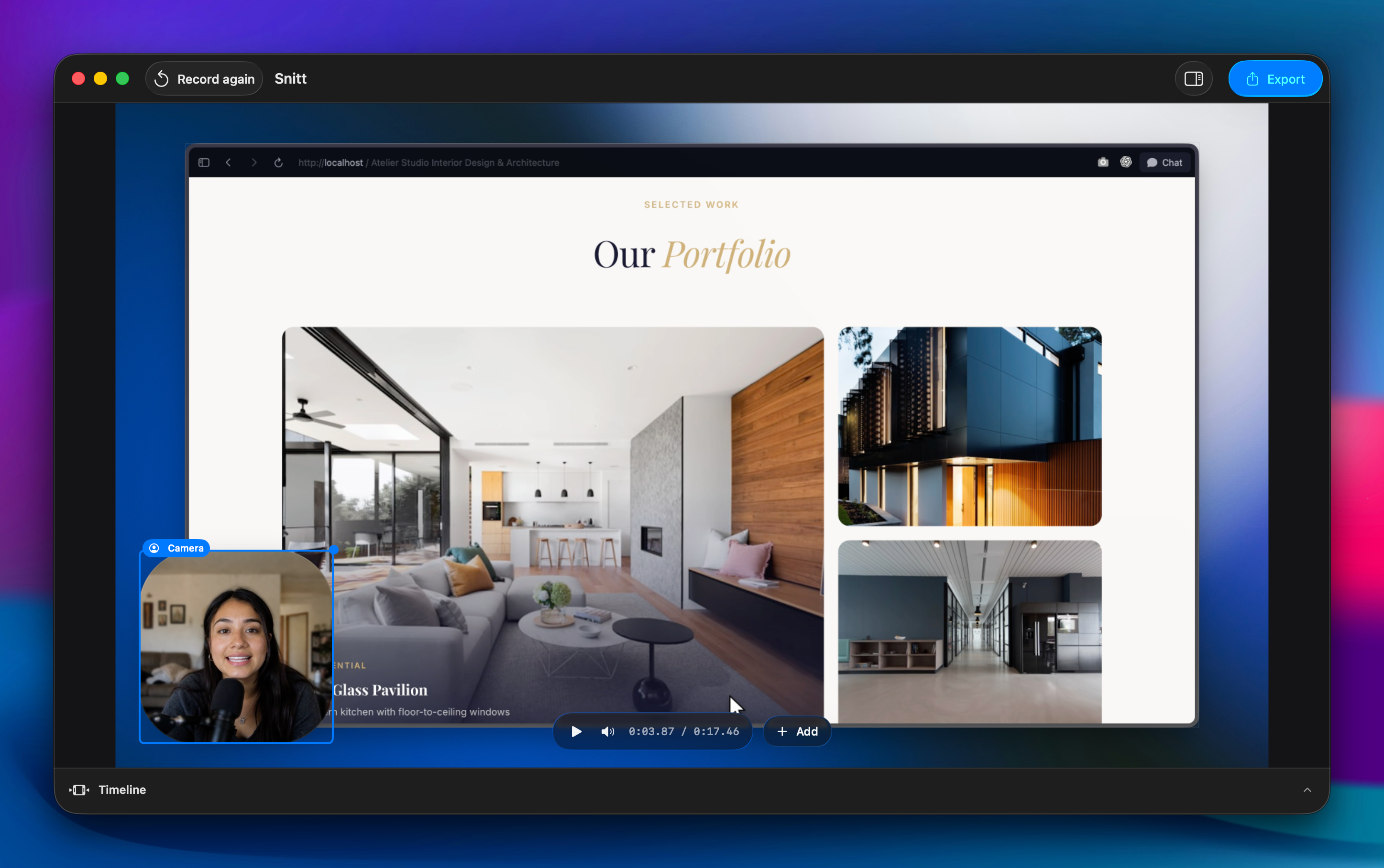
Ocelo turns your clicks into smooth, deliberate camera moves while you record. The cursor stays clean, motion blur makes every move feel physical, and every zoom is already on the timeline when you stop.
Screen and presenter, one lane
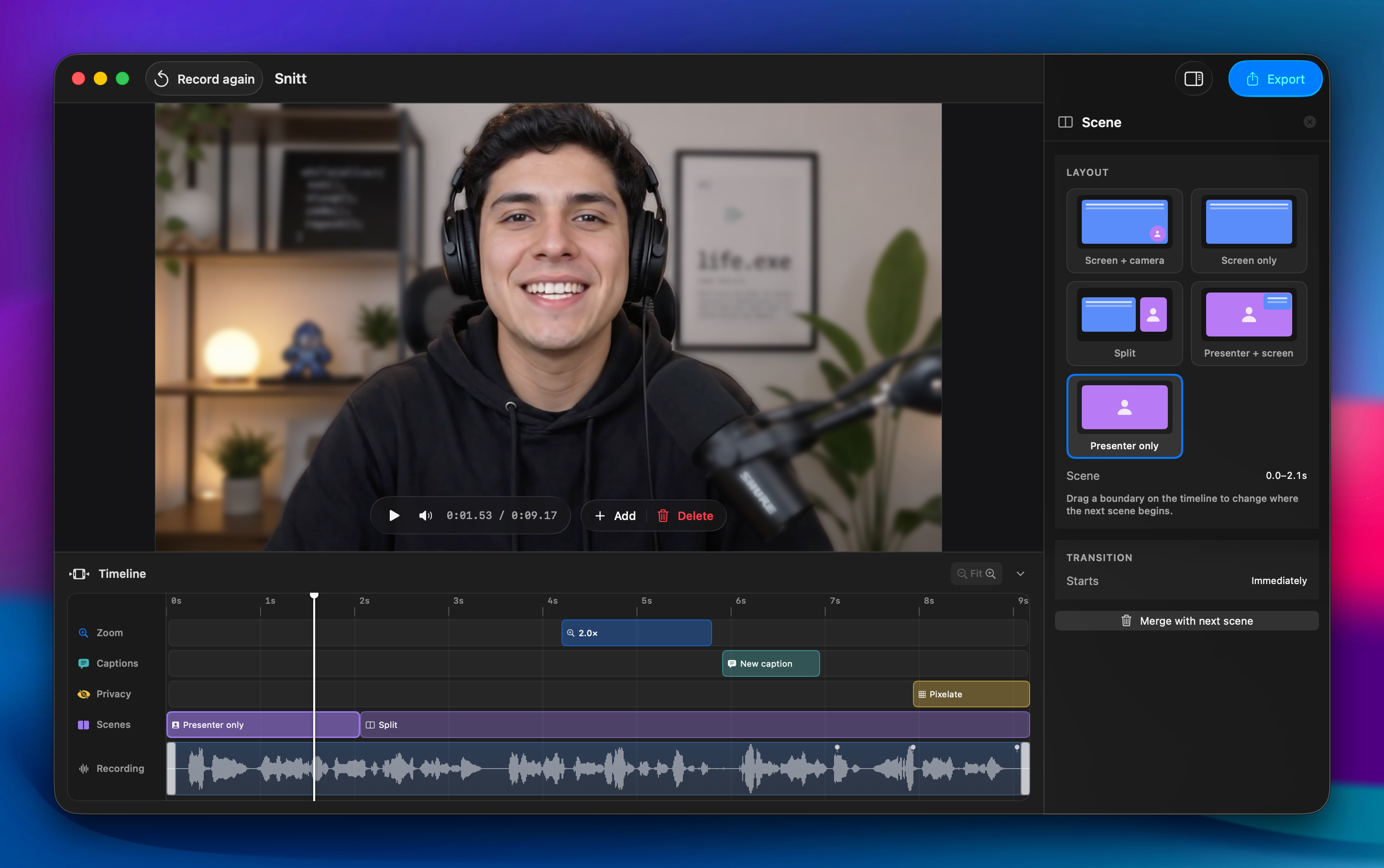
Switch between Screen + camera, Presenter only, Split and more from the recording bar. Scenes land on one continuous timeline you can re-time or re-aim after the take.
Clean up the take
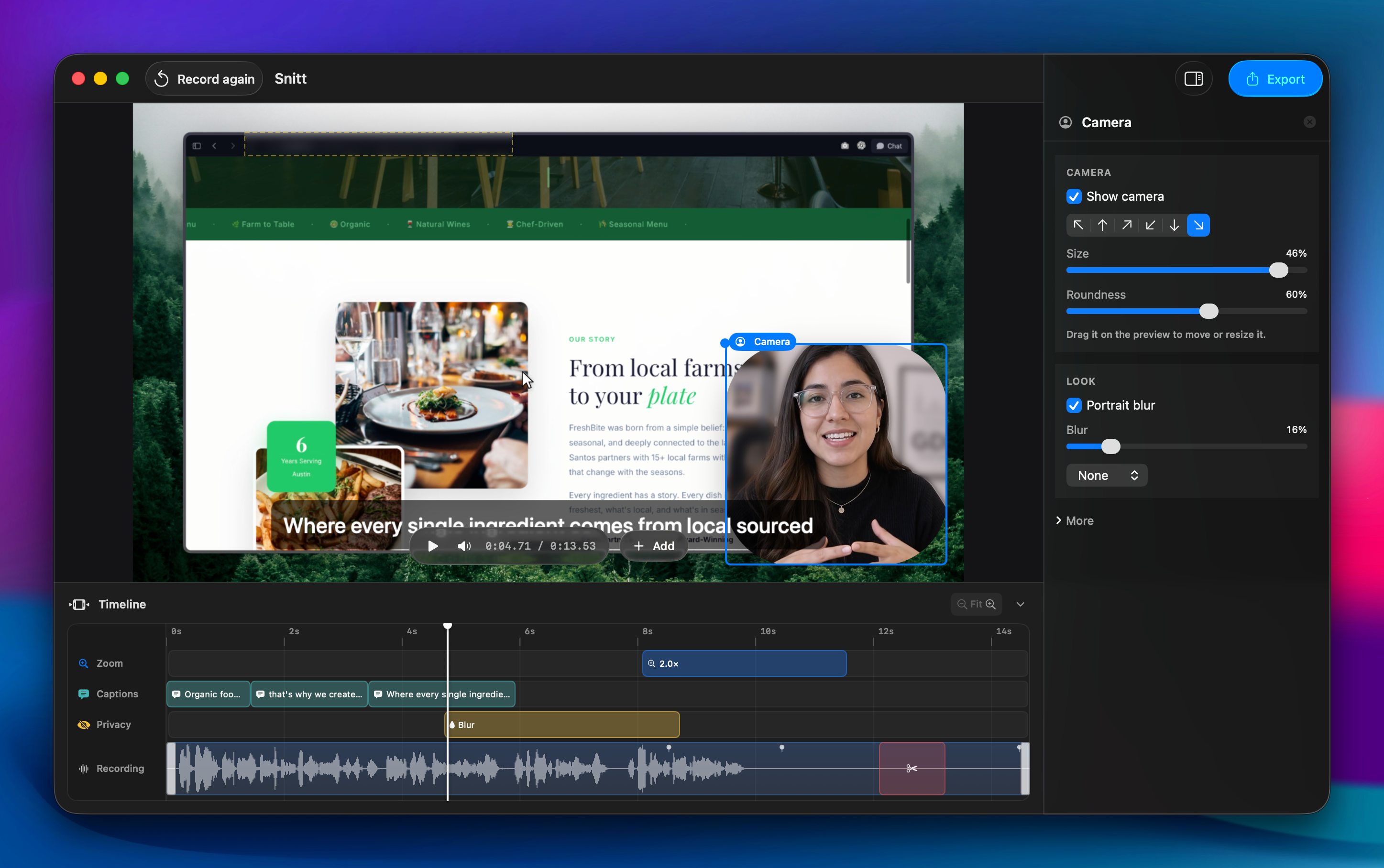
Trim mistakes, cut pauses, clean up microphone audio and generate captions on your Mac. Hide an API key or customer name with a privacy region that follows the content even when the page scrolls.
Finish and export
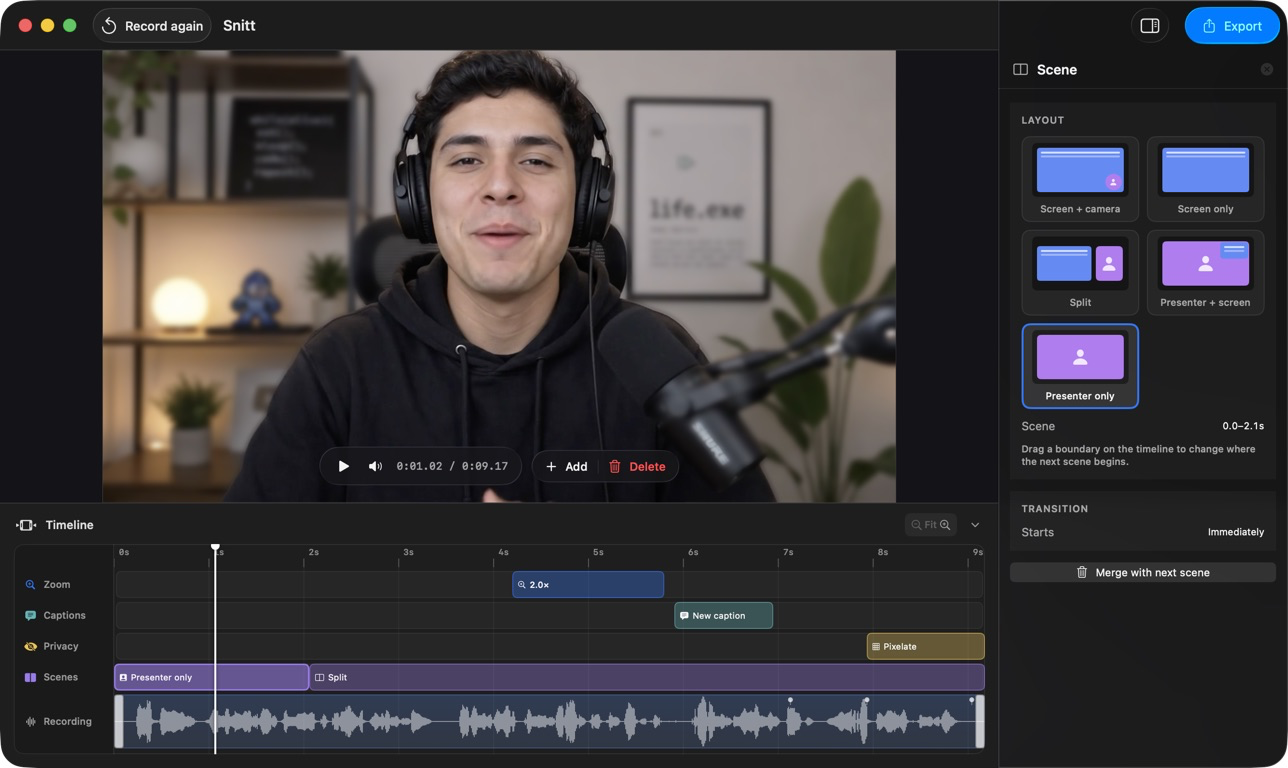
Add your logo, colours, background, intro and outro, then export up to 4K in landscape or vertical as MP4, HEVC or GIF. What you preview is exactly what Ocelo exports.
 Only on Macs with Apple Intelligence
Enhance your video with Apple Intelligence
No tokens required — your video never leaves your Mac.


Everything the finished video needs.
Nothing held for a higher tier.
Direct the screen
- Automatic zoom that follows what you are doing
- Physically eased camera paths, not linear moves
- Motion blur through the fast part of a move
- Cursor smoothing, sizing and click ripples
- Hand-place or re-time any zoom on the timeline
Put yourself in frame
- Webcam capture with rounded framing
- Five visual Scene layouts on one continuous lane
- Switch Scenes while recording, refine them later
- Portrait blur and colour filters
- Microphone capture with noise cleanup
Finish the story
- Captions generated on your Mac, styled globally
- Privacy regions that track their content
- Backgrounds: gradients, images, macOS wallpapers
- Your logo and colours across every export
- Trim, mid-clip cuts and idle speed-up
- Intro and outro clips
Ship it anywhere
- MP4 and HEVC, up to 4K
- Vertical layouts for social
- Animated GIF
- Waveform timeline with audio preview
Pricing
Pay once, or pay a little each year.
Both give you the same app with nothing held back. Tax is handled by Polar, our merchant of record, and shown before you pay.
Best value
$79once
Yours to keep. No renewal.
Buy it outright- Every feature — there is no upper tier
- Up to 3 Macs
- Captions generated on your Mac, no per-minute charge
- Full-resolution exports with no duration limit
- Works offline
- Every update to version 1
$24a year
Cancel whenever you like.
Subscribe yearly- Every feature — there is no upper tier
- Up to 3 Macs
- Captions generated on your Mac, no per-minute charge
- Full-resolution exports with no duration limit
- Works offline
- Updates for as long as you subscribe
Free, and it doesn't expire
Every feature, on your real work, for as long as you like. Export clean 720p videos up to 60 seconds — record as long as you want and cut it down. Nothing else is held back: no feature is greyed out and there is nothing to sign up for.
Faqs
Things to know before you download
What can I do without paying?
Everything, on your own work, for as long as you like — every feature is available and none of them are greyed out. The only limits are on what leaves the app: clean exports are capped at 720p and 60 seconds. Recording is not capped, so you can record at length and cut it down.
What is the catch at this price?
There is not one, in the sense of a hidden tier — every feature is in both plans and there is no upsell inside the app. It is cheap because it is one developer, one platform and no servers to run: nothing is uploaded, so nothing costs us per minute of your video.
Should I buy it outright or subscribe?
$79 outright if you know you want it — it never renews. $24 a year if you would rather not commit; you can switch to the one-off licence later.
Does buying it outright include updates?
Yes, every update to version 1, for as long as version 1 is maintained. If there is ever a version 2 that is a genuine rewrite it would be a paid upgrade — but nothing you have already bought stops working, ever.
Which Macs does it run on?
macOS 15 Sequoia or later, on Apple silicon. Automatic captions use the speech recognition built into macOS 26, so on earlier versions everything else works and captions are unavailable.
What permissions does it ask for?
Screen Recording, always — that is the app. Camera and Microphone only if you pick one in the recording window. It never asks for Accessibility, which means it cannot read your keystrokes, and does not want to.
Does anything get uploaded?
No. Recording, editing, captions and export all happen on your Mac. The app talks to the network for exactly two things: checking your licence and checking for updates.
Does it work offline?
Yes, including captions. A licence check that cannot reach the network is treated as a network problem, not as an expired licence — you keep working.
How many Macs can I use it on?
3. You can release a Mac from your account portal when you replace one, and use the freed slot straight away.
What happens if I cancel the yearly plan?
It keeps working until the end of the year you paid for. After that it goes back to the free limits rather than locking you out — your projects all still open, and exports return to clean 720p, 60-second videos until you subscribe again or buy the one-off licence.
Can I get a refund?
Yes — email hola@ocelo.app within 14 days and we will refund it, no questions. Refunds are processed by Polar.
What people are saying
@jamesdraws: Recorded a full demo and exported straight to 4K — didn't touch another editor.. @lena_ships: The auto zoom alone is worth it. My screen recordings finally look intentional.. @marcus_films: Paid once and that's it? No subscription creep. Refreshing.. @dev_priya: Captions generated locally in seconds, no upload wait.. @ryan_ships_fast: Switched from three separate apps to just this one.. @codewithmira: Didn't expect a screen recorder to also handle presenter mode this well.. @noahcodes: The privacy region saved me from re-recording an entire walkthrough.. @ashbuilds: 3.9MB and it just works. No bloat, no login wall.. @sophiaships: Scenes made my product demo feel like it had a real director.. @taylorbuilds: Free tier is genuinely usable, not just a trial in disguise.. @ivan_builds: Export options cover literally everything I need — MP4, GIF, vertical.. @chrisrecords: Works completely offline. Recorded on a flight, exported after landing.. @danaships: Finally a one-time purchase editor that doesn't feel abandoned.. @leo_makes: The zoom timing is so natural I forgot it was automatic.. @sarahbuilds: Went from raw recording to shareable clip in under five minutes.. @kmakesthings: No account, no onboarding flow — just opened it and recorded.